From Scattered to Streamlined: How Screen Recording Gave Me Back My Day
Ever feel like your time is broken into a hundred tiny pieces—between quick work tasks, helping kids with schoolwork, or trying to learn something new? I did too. But one simple tech tool changed everything: screen recording. It helped me capture ideas, teach my team, and even coach my cousin remotely—all without adding extra hours. This isn’t about working harder. It’s about working smarter, in the moments you already have. And the best part? You don’t need special skills or expensive software. Just your phone, tablet, or laptop, and the willingness to try something small that makes a big difference. Sound familiar? Then let’s talk about how this quiet little habit reshaped my days—and could do the same for yours.
The Myth of “Having Enough Time”
We’ve all said it: “I just don’t have enough time.” But here’s what I’ve learned after years of juggling family, work, and personal goals—time isn’t the real problem. It’s how we use the fragments we already have. Think about your day. That 15 minutes while dinner simmers. The 10 minutes waiting for the kids’ soccer practice to end. Or the quiet stretch after everyone’s gone to bed. These moments add up, but too often, we let them slip away on scrolling, worrying, or half-finished to-do lists.
I used to believe that real productivity only happened in long, uninterrupted blocks. I’d wait for the perfect two-hour window that never came. Meanwhile, small tasks piled up—answering a work email, explaining a budget to my assistant, helping my niece with her online class. Each one felt too small to schedule, but together, they created mental clutter. I was busy, but not moving forward.
Then I started asking myself a different question: What if I stopped waiting for big chunks of time and started using the small ones? What if I treated five minutes not as “not enough,” but as “just right” for one quick, meaningful action? That shift in mindset was the first step. But I still needed a tool that could help me act fast, without friction. That’s where screen recording came in.
It wasn’t glamorous. No notifications, no complicated setup. Just me, pressing a button and talking through something while recording my screen. Suddenly, those tiny gaps weren’t wasted. They became opportunities to create, teach, and organize. I wasn’t adding more to my day—I was making better use of what was already there. And that made all the difference.
How a Simple Tool Changed My Rhythm
I’ll be honest—I didn’t grow up tech-savvy. My relationship with gadgets used to be, “Does it work? Good. Don’t touch it.” So when a friend mentioned using screen recording to explain a project, I thought, “That sounds like something for YouTubers or IT people.” But then my sister called, frustrated with a spreadsheet I’d sent her. She kept asking the same questions, and I kept typing long replies that still didn’t help.
Out of desperation, I tried recording my screen. I clicked the record button on my laptop, pulled up the file, and talked through each step as I highlighted cells and explained formulas. It took three minutes. I uploaded it to a shared folder and texted her: “Watch this while you’re making dinner.” Later, she wrote back: “Ohhh, NOW I get it. Why didn’t you show me this way from the start?”
That moment hit me like a lightbulb. I had spent more time typing and re-typing than it took to just show her. And she actually understood it—on her own time. No back-and-forth. No frustration. Just clarity.
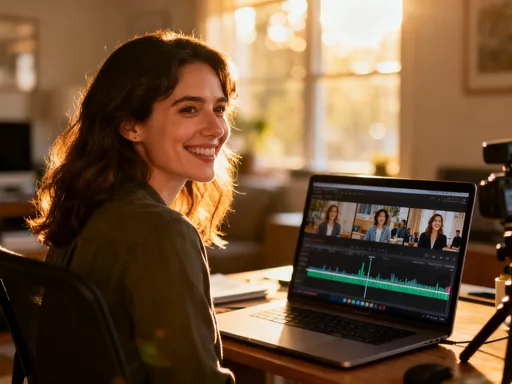
That tiny win changed how I moved through my day. Instead of saving all explanations for meetings or long calls, I started using screen recording as my go-to for quick communication. Need to update my team on a project change? Record a 4-minute clip walking through the new timeline. Want to give feedback on a draft? Record my screen while scrolling through, narrating my thoughts. These weren’t polished videos. They were real, quick, and human.
And the rhythm of my work changed. I stopped waiting for “the right time” to explain something. If I had five minutes between tasks, I used them. No setup. No scheduling. Just press record, speak, and share. It wasn’t about doing more—it was about doing what mattered, in the moments I already had.
Turning Minutes into Momentum
There’s a big difference between being busy and building momentum. Busy feels scattered—jumping from task to task, never quite finishing. Momentum feels like progress—each small action adding up to something real. Screen recording helped me shift from the first to the second.
Now, when I have 10 spare minutes, I don’t just “check my phone.” I open my screen recorder and knock out a micro-task. Maybe it’s walking my assistant through a new scheduling tool. Or showing my colleague how to use a feature in our project app. Or saving a quick tutorial for myself to revisit later. These clips take almost no effort in the moment, but they save so much time later.
One morning, while waiting for my coffee to brew, I recorded a 6-minute walkthrough of a client proposal I’d just updated. I shared it with my team before the meeting. No one had to read through the whole document. They watched the video, came prepared, and we cut the meeting in half. That’s the power of momentum—small actions creating big ripple effects.
And it’s not just work. At home, I’ve used it to explain how to refill the printer ink, set up a new streaming account, or navigate a school’s online portal. My daughter even started using it to show me how to use a new app—proof that this isn’t just a tool for professionals. It’s a tool for anyone who wants to communicate clearly and save time.
The key? Stop thinking of screen recording as “making a video.” Think of it as “leaving a voice-and-visual note.” Like a smarter version of a sticky note. It’s not about production value. It’s about clarity, speed, and kindness—to yourself and others.
Teaching Without Being There
One of the most unexpected joys of using screen recording has been how it lets me teach—even when I’m not physically present. I’ve always loved helping people learn, but time and distance often got in the way. Now, I can support others on their schedule, not mine.
My nephew was struggling with a science project last fall. He needed to create a simple presentation, but the software confused him. Instead of getting on a call and trying to guide him over the phone—where I couldn’t see his screen—I recorded a short clip. I opened the program, clicked through each step, and explained what to do, like I was sitting right beside him. I added little tips, like “Don’t forget to save early and often,” and “Use bullet points to keep it clean.”
He watched it twice. Later, his mom told me he finished the project in half the time and actually felt proud of it. “He said it was like having you here,” she said. That warmed my heart. I hadn’t done anything extraordinary—just shared my screen and talked. But to him, it felt personal. It felt like care.
I started doing the same for my team. Onboarding a new assistant? I recorded a series of short clips: how to manage my calendar, how to format emails, how to track expenses. Instead of spending hours training her in person, she could watch at her own pace, pause, rewatch, and come to me with specific questions. She learned faster, and I didn’t lose a full day to training.
And the beauty is, these recordings keep working. I’ve reused the same clips for multiple people. I’ve shared them with cousins, friends, and even my book club when we started using a new app. Each one is a small gift of knowledge—something I create once, and it helps others again and again. That’s the magic of teaching through screen recording: your time multiplies.
Capturing Ideas Before They Fade
How many great ideas have you lost because you didn’t write them down? I’ve lost too many. That flash of inspiration in the shower. The clever solution that comes to you at 2 a.m. The perfect phrase for an email, gone by the time you reach your phone. Ideas are fragile. They need to be caught quickly, or they disappear.
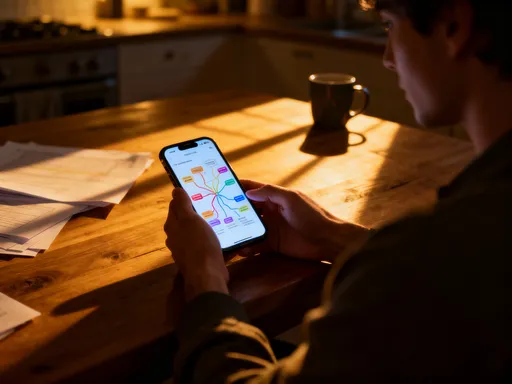
I used to rely on sticky notes, voice memos, or frantic typing. But I’d often forget where I put the note, or the voice memo would be too garbled to understand. Then I realized: I could use screen recording to capture ideas as they happened. Even if I wasn’t at my desk, I could open my phone, start recording, and talk through the idea while jotting down bullet points on the screen.
For example, last month, I had a sudden thought about reorganizing my home budget. I was folding laundry, but instead of letting it slip, I sat down with my tablet, opened a blank document, and recorded myself explaining the new system. I didn’t worry about being perfect. I just spoke freely, made notes on the screen, and stopped after five minutes. Later, I watched the clip and turned it into a clear plan. That idea became a system I still use today.
This habit has transformed how I think. I don’t fear losing ideas anymore. I trust that I can capture them quickly and revisit them when I’m ready. It’s like having a personal idea vault. And because I can see and hear myself explaining it, the context stays intact. No more guessing what I meant by “fix the thing.”
It’s also helped me be more creative. Knowing I can record and save an idea without pressure makes me more open to thinking freely. I’ve used it for planning family events, brainstorming blog posts, and even sketching out a simple recipe ebook. The tool isn’t fancy, but it gives my thoughts a place to land—and grow.
Making Remote Help Feel Personal
We’ve all been there—trying to help someone over the phone with a tech issue, and it’s a mess. “Click the thing.” “No, the other thing.” “Can you see the button on the top right?” It’s frustrating for both sides. I experienced this when my mom needed help setting up her first video call with her sister. She’s smart, but new to the app. I tried walking her through it over the phone, but she kept getting lost.
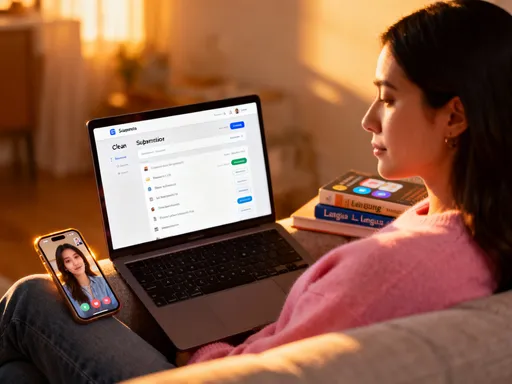
So I switched tactics. I recorded my screen while I opened the app, logged in, and walked through each step, narrating everything. I added little reassurances: “It’s okay if it looks confusing. Just follow what I’m doing.” I even smiled while I spoke—knowing she’d hear the warmth in my voice. I sent her the link and texted, “Watch this when you’re ready. No rush.”
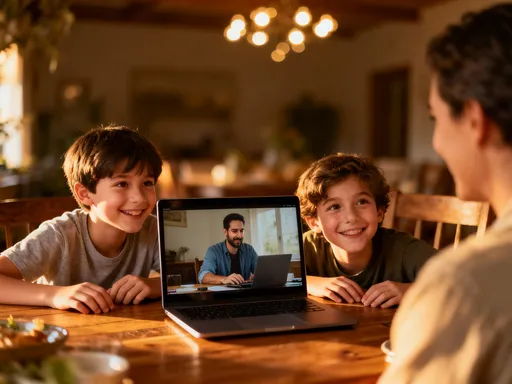
Later, she called me, excited. “I did it! I saw your face, heard your voice, and it felt like you were right here with me.” That moment stayed with me. Screen recording wasn’t just a tech tool—it was a way to be present, even from miles away. It carried not just information, but emotion. It was help with heart.
Since then, I’ve used it for all kinds of personal support. Helping a friend update her resume. Showing my sister how to order prescriptions online. Guiding my cousin through a tax form. Each time, I speak slowly, explain clearly, and add little personal touches—“You’ve got this,” or “This part always trips me up too.”
And because they can watch it more than once, they don’t feel pressure to get it right the first time. They can pause, try it themselves, and rewatch if needed. It’s patient, kind, and empowering. It turns what could be a stressful phone call into a calm, self-paced learning moment. That’s the kind of support we all want to give—and receive.
Building a Library of Your Knowledge
Over the past year, I’ve collected dozens of short screen recordings—tips, tutorials, workflows, and ideas. At first, I just saved them in random folders. But then I realized: I was building something valuable. A personal knowledge library. So I started organizing them—simple folders by topic: “Work Processes,” “Family Tech Help,” “Creative Projects,” “Finance Tips.”
Now, when someone asks me the same question twice, I don’t sigh or repeat myself. I smile and say, “Let me send you the video.” My assistant knows where to find the clips for recurring tasks. My family knows they can ask for a “how-to” any time. And I’ve freed up so much mental space by not having to hold everything in my head.
This library has become one of my most trusted tools. Not because it’s high-tech, but because it’s deeply human. It’s my voice. My way of explaining. My care, recorded and shared. I don’t have to be available 24/7 to be helpful. My recordings are there, working for me.
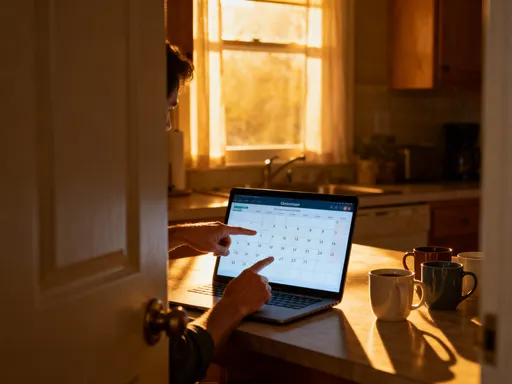
And the best part? It keeps growing. Every time I record something new, I’m not just solving a problem—I’m adding to a resource that will help me and others for months or even years. I’ve even started sharing select clips with my community group and local moms’ network. One recording on “How to Use Google Calendar for Family Schedules” got shared over 30 times. People didn’t just learn—they felt supported.
Building this library hasn’t taken extra time. It’s replaced time I used to spend repeating myself, typing long emails, or feeling overwhelmed. Now, I invest a few minutes once, and reap the benefits again and again. That’s what smart living looks like to me—not doing more, but creating systems that make life easier, kinder, and more connected.
This isn’t about becoming a tech expert. It’s about using one small tool to reclaim your time, share your wisdom, and move forward—even in life’s smallest gaps. Screen recording didn’t add hours to my day, but it gave me back control. And that made all the difference. You don’t need a fancy setup or a big audience. You just need the willingness to press record and share what you know. Start with one clip. One idea. One moment of help. You might be surprised how far it goes. Because the truth is, your knowledge matters. And now, you have a simple way to let it keep working—even when you’re not.